

One Task, Five Actions: How Power Automate Can Reduce Manual Work
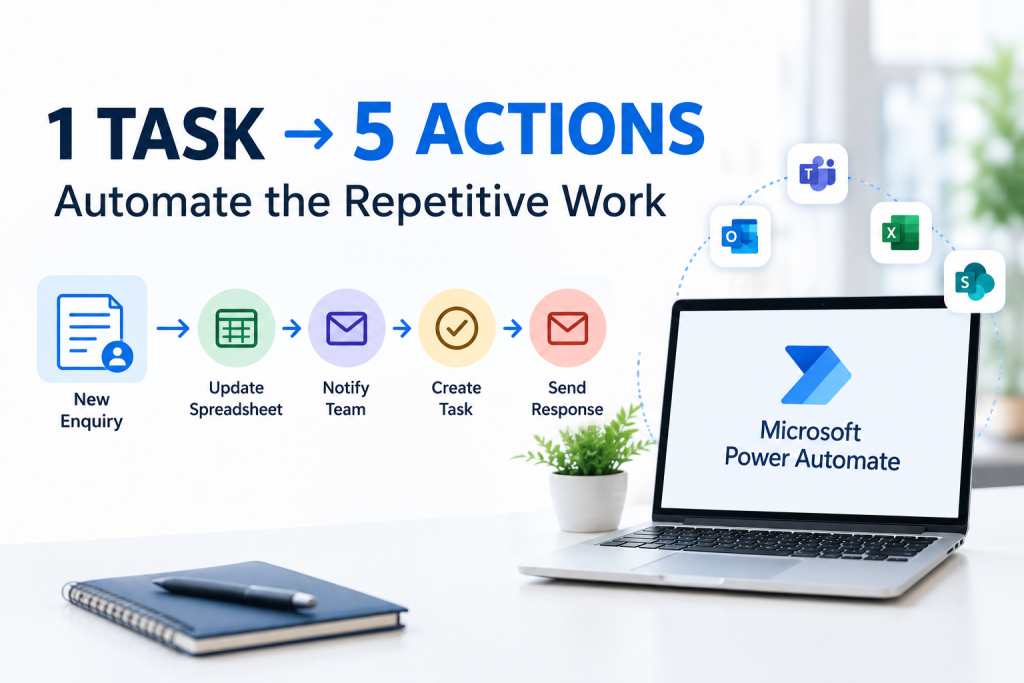
A customer enquiry arrives.
It looks like a simple task. But behind that one enquiry, your team may need to check the details, update a spreadsheet, notify a colleague, create a follow-up task, and send a response.
One task has suddenly become five actions.
When this happens every day, the amount of manual work can quickly add up.
This is where Microsoft Power Automate can help.
What Is Microsoft Power Automate?
Microsoft Power Automate is a workflow automation tool that helps businesses connect different tasks and applications.
Instead of employees manually completing every step, a workflow can be created to carry out certain actions automatically when something happens.
For example, when a new customer enquiry is submitted, a workflow could:
- Capture the enquiry
- Update the required information
- Notify the relevant team member
- Create a follow-up task
- Send a confirmation email
The exact workflow depends on how your business operates.
Why Do Repetitive Tasks Matter?
Manual tasks may only take a few minutes each time.
The problem is repetition.
If an employee spends 5 minutes handling one enquiry and receives 20 enquiries a day, that is more than 1 hour and 30 minutes spent on the same type of process.
Over a month, those small tasks can take up a significant amount of working time.
Automation can help reduce the amount of repetitive work employees need to complete manually.
What Business Tasks Can Power Automate Help With?
Power Automate can be used for many different business processes.
1. Customer Enquiries
When someone submits an enquiry form, a workflow can notify the appropriate employee and create a follow-up task.
This can help make sure enquiries do not sit unnoticed.
2. Approvals
Businesses often need approvals for expenses, documents, leave requests and other internal processes.
A workflow can send the request to the right person and notify the relevant employees when the approval is completed.
3. Email Notifications
If your team regularly sends the same type of notification, Power Automate can help automate the process.
For example, a new submission could automatically trigger an email to a specific team.
4. Data Updates
Businesses often move information between forms, spreadsheets, databases and other systems.
Where supported, Power Automate can connect these processes and reduce the need for employees to enter the same information manually.
5. Follow-Up Tasks
A workflow can create tasks when a particular event occurs.
For example, after a customer enquiry is received, a follow-up task could automatically be created for the relevant employee.
A Simple Example
Imagine a company receives a new customer enquiry through an online form.
Without automation, the process might look like this:
New enquiry → Check form → Update spreadsheet → Email team → Create task → Reply to customer
Every step requires someone to take action.
With Power Automate, these steps can potentially be connected into a workflow:
New enquiry → Automated workflow → Team notified + data updated + task created + email sent
The employee can then focus on dealing with the customer instead of completing repetitive administrative steps.
How a Power Automate Developer Can Help
Creating a useful workflow is more than simply switching on automation.
The workflow needs to match the business process.
A Power Automate Developer can help identify repetitive tasks, understand how different systems are being used, and create workflows that connect the required steps.
They can also help review existing workflows and make improvements where processes are taking too much time or involving unnecessary manual work.
When Should Your Business Consider Automation?
You may want to look at automation if your team regularly:
- Copies information between different systems
- Sends the same emails repeatedly
- Manually updates spreadsheets
- Chases approvals
- Creates the same tasks again and again
- Notifies different people about the same type of event
- Repeats the same process every day
These are potential signs that a workflow could be automated.
Automation Does Not Mean Automating Everything
Not every business task needs automation.
Some processes require human judgement, communication, or decision-making.
The goal is not to remove people from the process.
The goal is to reduce unnecessary manual steps so employees can spend more time on work that requires their attention.
Start With One Repetitive Process
You do not need to automate your entire business at once.
Start with one process that your team repeats regularly.
Ask:
What task takes time but does not require much human decision-making?
That could be a good starting point for automation.
Once the process has been reviewed, a Power Automate workflow can be designed around the actual steps involved.
Ready to Automate a Repetitive Business Process?
If your team is spending time on repetitive tasks, there may be an opportunity to simplify the process with Microsoft Power Automate.
At ThreeSixFive UK, our Power Automate development approach focuses on understanding your existing processes and creating workflows that can help reduce unnecessary manual work.
📞 Call ThreeSixFive UK on 020 3907 7749 to discuss a process you would like to automate.