

Power Apps vs Traditional App Development: Which is Right for Your Business in 2026?
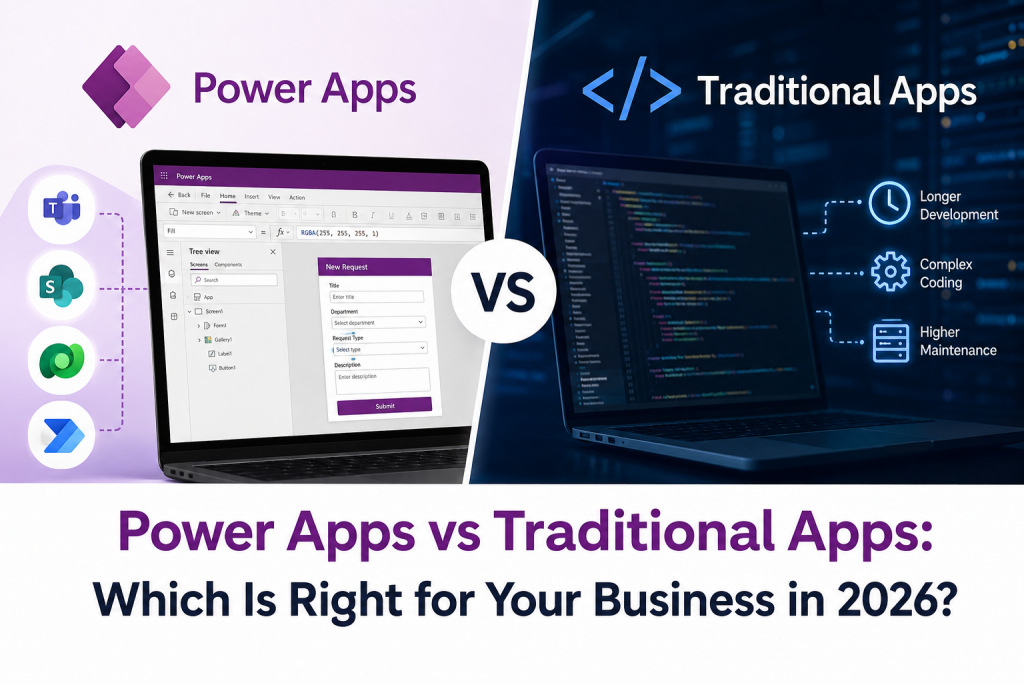
Today, low-code platforms such as Microsoft Power Apps provide another option.
Power Apps allows businesses to create applications using a low-code approach, while still providing opportunities for professional developers and IT teams to extend and customise solutions when required.
So, which approach is right for your business?
The answer depends on your application requirements, complexity, budget, scalability needs, and long-term objectives.
What is Microsoft Power Apps?
Microsoft Power Apps is a low-code application development platform within Microsoft Power Platform. It allows businesses to build applications for specific business processes without requiring every application to be developed entirely through traditional coding.
Power Apps can connect with Microsoft 365, Dataverse, and other business data sources, helping organisations create applications around their existing systems and workflows.
Businesses can use Power Apps for applications such as:
- Employee request systems
- Approval workflows
- Customer information tools
- Inspection and reporting applications
- Stock and inventory management
- Project management tools
- Internal forms
- Business dashboards
- Data collection applications
The platform can therefore be useful when a business needs a specific application but does not necessarily require a completely custom software development project.
What is Traditional App Development?
Traditional app development generally involves writing application code using programming languages and development frameworks.
A development team typically manages areas such as:
- Application architecture
- Front-end development
- Back-end development
- Databases
- APIs and integrations
- Testing
- Security
- Deployment
- Ongoing maintenance
Traditional development can provide extensive control over the application and may be the better option when a project has highly specific technical or functional requirements.
Power Apps vs Traditional App Development: What is the Difference?
Both approaches can create useful business applications, but they differ in how applications are designed, developed, and maintained.
| Factor | Power Apps | Traditional Development |
| Development approach | Low-code | Primarily code-based |
| Development speed | Often faster for suitable business applications | Usually requires more development time |
| Customisation | Strong for supported business scenarios | Highly flexible |
| Technical expertise | Lower technical barrier for many solutions | Requires specialist development skills |
| Microsoft 365 integration | Strong integration | Requires development and integration work |
| Maintenance | Platform-managed elements can reduce maintenance | Development team usually manages maintenance |
| Complex requirements | Suitable for many business processes | Often better for highly complex requirements |
| Scalability | Suitable for many business applications | Can provide extensive control for large or specialised systems |
| Development cost | Can reduce development effort for suitable projects | Can require greater development resources |
The right choice depends on the application rather than simply choosing the newest technology.
What are the Benefits of Power Apps?
1. Faster Application Development
One of the main advantages of low-code development is the ability to build applications more quickly than starting every component from scratch.
For businesses, this can be particularly useful when an application is needed to improve an existing internal process.
Instead of spending significant time developing basic functionality, teams can focus more on the business requirements and user experience.
2. Easier Integration with Microsoft 365
Businesses already using Microsoft technologies can benefit from Power Apps’ connection with the wider Microsoft ecosystem.
Applications can work alongside tools and services such as:
- Microsoft Teams
- SharePoint
- OneDrive
- Microsoft Dataverse
- Power Automate
- Power BI
This can make it easier to connect an application with existing business processes.
3. Reduced Development Complexity
Power Apps uses a low-code approach, which can reduce the amount of traditional programming required for many applications.
This does not mean that professional developers are no longer needed.
Developers can still play an important role when businesses require advanced integrations, complex logic, custom components, or enterprise-level solutions.
4. Supports Business Process Automation
Power Apps can work alongside Power Automate to create connected business solutions.
For example, an employee could submit a request through a Power App. Power Automate could then send the request for approval, update relevant records, and notify the appropriate team.
This can reduce manual administration and improve process visibility.
When Should a Business Choose Power Apps?
Power Apps can be a good choice when a business needs an application for a defined internal process.
Examples include:
- Internal employee applications
- Approval systems
- Data collection
- Inspection processes
- Asset management
- Business request forms
- Department-specific applications
- Workflow-driven applications
It can be particularly useful when the business already operates within the Microsoft ecosystem.
When is Traditional App Development Better?
Power Apps is not the right solution for every application.
Traditional development may be more appropriate when a project requires:
- Highly customised functionality
- Complex application architecture
- Advanced performance requirements
- Highly specialised integrations
- Custom user experiences
- Large-scale customer-facing applications
- Features that cannot be achieved effectively through the low-code platform
In these situations, having complete control over the application architecture and code can be important.
Can Power Apps Handle Complex Business Applications?
Power Apps can support many sophisticated business applications, but suitability depends on the specific requirements.
A business should consider:
- Number of users
- Data volume
- Integration requirements
- Security requirements
- Performance expectations
- Application complexity
- Licensing requirements
- Long-term maintenance
For complex projects, a professional assessment can help determine whether Power Apps, traditional development or a combination of both approaches is most suitable.
How AI is Changing Power Apps Development
AI is becoming an increasingly important part of application development.
Microsoft is expanding AI-assisted capabilities within Power Apps to help users work with data and build business applications more efficiently.
AI can support areas such as:
- Creating applications from business requirements
- Working with business data
- Summarising information
- Generating and improving content
- Exploring data
- Supporting application development
For businesses, this creates an opportunity to combine low-code development with AI-assisted productivity.
However, AI should not replace proper application planning, security reviews, testing, and human oversight.
Power Apps and Traditional Development Can Work Together
The choice does not always have to be one or the other.
Businesses can use a combination of Power Apps and traditional development depending on their requirements.
For example, Power Apps could be used to create an internal business application while professional developers build custom integrations or components where required.
This approach can provide flexibility while avoiding unnecessary custom development for simpler requirements.
How to Choose the Right Approach
Before starting an application project, ask the following questions:
What problem are we trying to solve?
Start with the business problem rather than the technology.
Who will use the application?
An internal employee application may have very different requirements from a public-facing customer application.
How complex is the application?
Simple, process-driven applications may be well suited to Power Apps, while highly specialised applications may require traditional development.
What systems need to be connected?
Consider Microsoft 365, databases, CRM platforms, APIs, and other business systems.
What are the security requirements?
Review authentication, permissions, data access, and compliance requirements before development begins.
What will the application need in the future?
Think about future users, data volumes, integrations, and functionality before selecting the development approach.
Common Mistakes to Avoid
Businesses can encounter problems when selecting a development approach without first understanding their requirements.
Common mistakes include:
- Choosing technology before defining the business problem.
- Assuming every application should be built with low-code.
- Assuming traditional development is always necessary.
- Ignoring licensing requirements.
- Failing to plan integrations.
- Overlooking security and permissions.
- Building an application without considering future requirements.
- Focusing only on development cost instead of the total cost of ownership.
A clear assessment at the beginning can help avoid unnecessary development work and future limitations.
Frequently Asked Questions
Is Power Apps better than traditional app development?
Neither approach is universally better. Power Apps can be highly effective for many internal, process-driven business applications, while traditional development may be more suitable for highly customised or technically complex applications.
Is Power Apps suitable for small businesses?
Yes. Power Apps can be useful for small businesses that need tailored applications for processes such as approvals, data collection, reporting or internal management.
Is Power Apps suitable for large businesses?
Power Apps can support enterprise business applications, subject to the organisation’s requirements, architecture, governance, licensing and security needs.
Can Power Apps replace traditional developers?
No. Power Apps reduces the amount of coding required for many applications, but professional developers can still be valuable for complex integrations, custom components, advanced requirements and enterprise solutions.
Can Power Apps use AI?
Microsoft continues to add AI-assisted capabilities to Power Apps. These capabilities can help users work with data and support aspects of application creation and productivity.
How much does Power Apps development cost?
The cost depends on the application’s complexity, number of users, integrations, licensing requirements and development approach. A requirements assessment is the best way to determine the likely cost.
Power Apps or Traditional Development: Which Should You Choose?
Power Apps provides businesses with a practical way to build many applications using a low-code approach. It can be particularly valuable for internal processes, workflow-based applications and organisations already using Microsoft technologies.
Traditional development remains important when applications require extensive customisation, specialised functionality or greater control over the underlying technology.
For some businesses, the best solution may be a combination of both approaches.
The most important step is to understand your business requirements before deciding how the application should be built.
Build the Right Business Application with Power Platform
Not sure whether Power Apps or traditional development is right for your business?
ThreeSixFive UK can help you assess your requirements and identify the right approach for your organisation.
Our Power Apps development and Power Platform services can help businesses create, optimise and connect applications with their existing Microsoft environment.
Contact ThreeSixFive UK today on 020 3907 7749 to discuss your application requirements and find the right solution for your business.